Setup
VPN gone from Google Play in Russia: how to install it
In short: Roskomnadzor sends Google hundreds of demands to remove VPN apps, but Google complies selectively and most VPNs stay on Google Play. If the app you need is not there, one that is already installed keeps working, so do not uninstall it. A new one can be installed as an APK file from the developer's official site. For our subscription there is the ProxysVPN app, on Google Play and as an APK file.
What is happening to VPNs on Google Play
- Demands. In March 2026 Roskomnadzor demanded that Google remove 233 apps, more than in any month since 2024. Over two years the total is at least 1,379 services (iStories, from the Lumen database, 8 April 2026).
- Google complies selectively. In spring 2025, of the 212 VPN apps named in demands, only six were unavailable in Russia, and three of those had gone before the demands (GreatFire data).
- Fines. On 25 February 2026 the Tagansky court in Moscow fined Google 22.8 million roubles in six cases.
- Some VPNs have been unavailable for a long time. NordVPN, ExpressVPN, CyberGhost and other big services have not been on the Russian Google Play for years. In April 2025 there were 53 such VPN apps.
Do not uninstall an app that is installed
When an app is removed from the Russian section of Google Play, people who already installed it keep it and it keeps working; it just stops updating. If you uninstall it, you cannot get it back from Google Play. So while it works, keep it and install a spare alongside.
How to install an app that is not on Google Play
| Way | What you need | The catch |
|---|---|---|
| An APK file from the developer's site | Allow your browser to install apps | Only from the official site: fakes posing as VPNs exist. Updates also come as files |
| Google Play of another country | Be in that country and have a payment method from there | You can change country once in 90 days. From Russia this will not work |
| Our ProxysVPN app as an APK file | A sign-in code from your dashboard | Only for a ProxysVPN subscription; the file is on our apps page |
- 1Open the developer's official site. Take the address from the service's email, its channel or its old Google Play page, not from an ad or a search.
- 2Download the APK file and open it from the download notification or from the Files app.
- 3Android says your browser may not install apps. Tap “Settings”, turn on “Allow from this source” and go back.
- 4Tap “Install”. If Play Protect shows a warning, check once more where the file came from, and only then continue.
- 5After installing, turn the permission off: search the settings for “Install unknown apps” and switch it off for the browser.
Our app
ProxysVPN is our service, and the app is ours too: it is on Google Play and as an APK file on our apps page. Both have the same sign-in by code and the WataFast mode. You do not need to move a subscription by hand: signing in with the code binds it to our app.
- 1Install ProxysVPN from Google Play or from the APK file: both buttons are on our apps page, in the Android card.
- 2Get a sign-in code: in your dashboard, open the device card and press “Code for the app”. The eight-character code is valid for 10 minutes and works once. No account yet? Signing up takes a minute with an email address; Telegram is not needed.
- 3Open the app, choose sign-in by code and type the code. Android asks for permission to set up a VPN connection: tap “OK”.
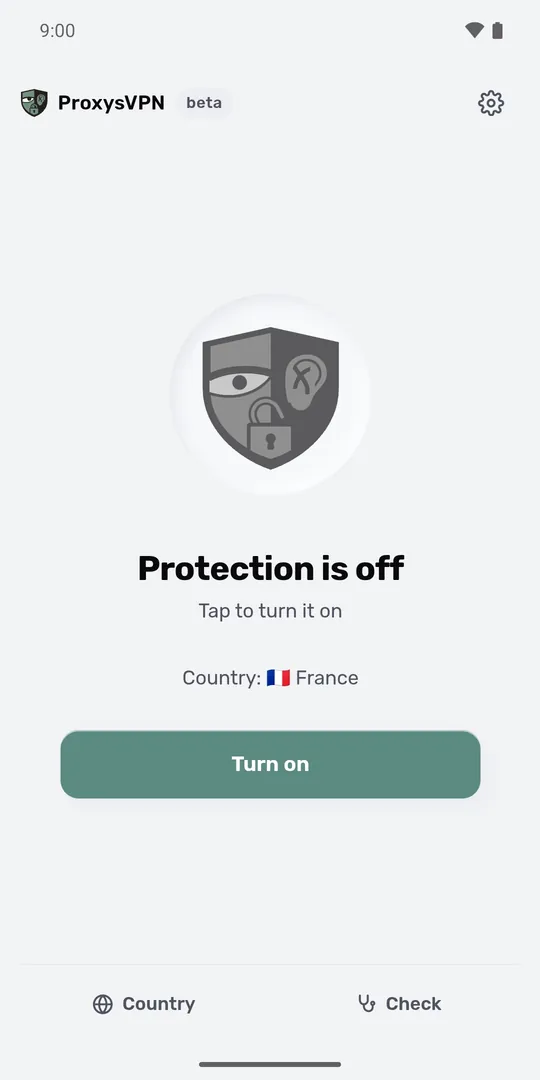
The app itself is free; what you pay for is the subscription: $1.50 per device per month, taken from your balance, with nothing charged to your card automatically. Top-ups start at $5. An account opened on the Russian site is priced in roubles instead: an account keeps the currency it was opened in, whatever card tops it up.
Is it legal
Using a VPN in Russia is not banned. In January 2026 Anton Gorelkin, first deputy chair of the State Duma committee on information policy, told Interfax that fines for using a VPN are not planned. Fines are for deliberately searching for extremist materials. Installing apps from outside Google Play is not banned either: it is an ordinary Android feature.
Frequently asked questions
Why does Google Play say the app is unavailable in my country?
It was closed for the Russian section, either by the developer or by Google at a demand. If the app is already installed, it keeps working. Install a new one as an APK file from the developer's site.
Can I just change the country in Google Play?
Only if you are in another country and have a payment method from there. You can change country no more than once in 90 days, and your Google Play balance and Play Points stay in the old country.
Is it safe to install an APK?
If the file is from the developer's official site, it is the same app as in the store. Files from other sites, forums and channels are the dangerous ones.
Will Google stop me from installing APKs?
Google is bringing in developer verification for apps outside Google Play too: from 30 September 2026 in Brazil, Indonesia, Singapore and Thailand, worldwide in 2027. Russia is not in the first wave. For apps from unverified developers Google promises to keep a route through the settings, with a wait of a day.
Does the subscription vanish with the app?
No. A subscription is a link on the service's side, and the app only reads it. For our subscription, sign in with a code in the ProxysVPN app on the new phone, and the servers stay the same.
Did this help?
Nothing follows from the answer; only we see it.
People also ask
- Why does the VPN turn off when the screen goes dark?
VPN turns off on Android
- Which free VPNs share data?
Free VPNs from Google Play
- What is Happ?
Happ
Who we are. These guides are written and kept current by the team that runs ProxysVPN. The date of the last update is at the top of the article. If a step is wrong or out of date, write to support and we will fix it.